
Imagine building a customer portal in three days using AI. You type, “Create a login form with user profiles,” and boom - it works. No coding experience needed. That’s vibe coding. But here’s the problem: it’s also leaking data.
According to Invicti’s 2024 audit of over 20,000 AI-generated apps, nearly 7 out of 10 had at least one critical security flaw. And 27% had multiple flaws that could let attackers take full control. These aren’t theoretical risks. Real people - marketing managers, HR staff, operations analysts - are building apps that handle customer data, employee records, and payment info… and they have no idea how dangerous what they built actually is.
Why Vibe Coding Is So Risky for Non-Developers
Vibe coding means using tools like GitHub Copilot, ChatGPT, or Replit’s AI to generate code just by asking for it in plain English. It’s fast. It’s easy. It feels like magic. But AI doesn’t care about security. It cares about making code that runs. If you say, “Give me a file upload feature,” it’ll give you one - even if that feature lets anyone on the internet download your private files.
Here’s what goes wrong:
- Authentication flaws: 43% of apps have unauthenticated API endpoints. Users assume the login screen protects everything - but attackers can call those APIs directly. Civic.com found 347 cases where people thought frontend-only controls were enough. They weren’t.
- Excessive data collection: 83% of vibe-coded apps store way more user info than needed. A lead form shouldn’t collect home addresses, birthdates, or Social Security numbers. But AI often does - because it’s trained on data-heavy examples. IBM says this increases breach impact by 300-500%.
- Hardcoded secrets: The most common password in AI-generated configs?
supersecretjwt. Yes, really. Invicti found it in 61% of Docker setups. Attackers don’t need to be hackers - they just need to copy-paste a free tool likejwt_tooland forge admin tokens.
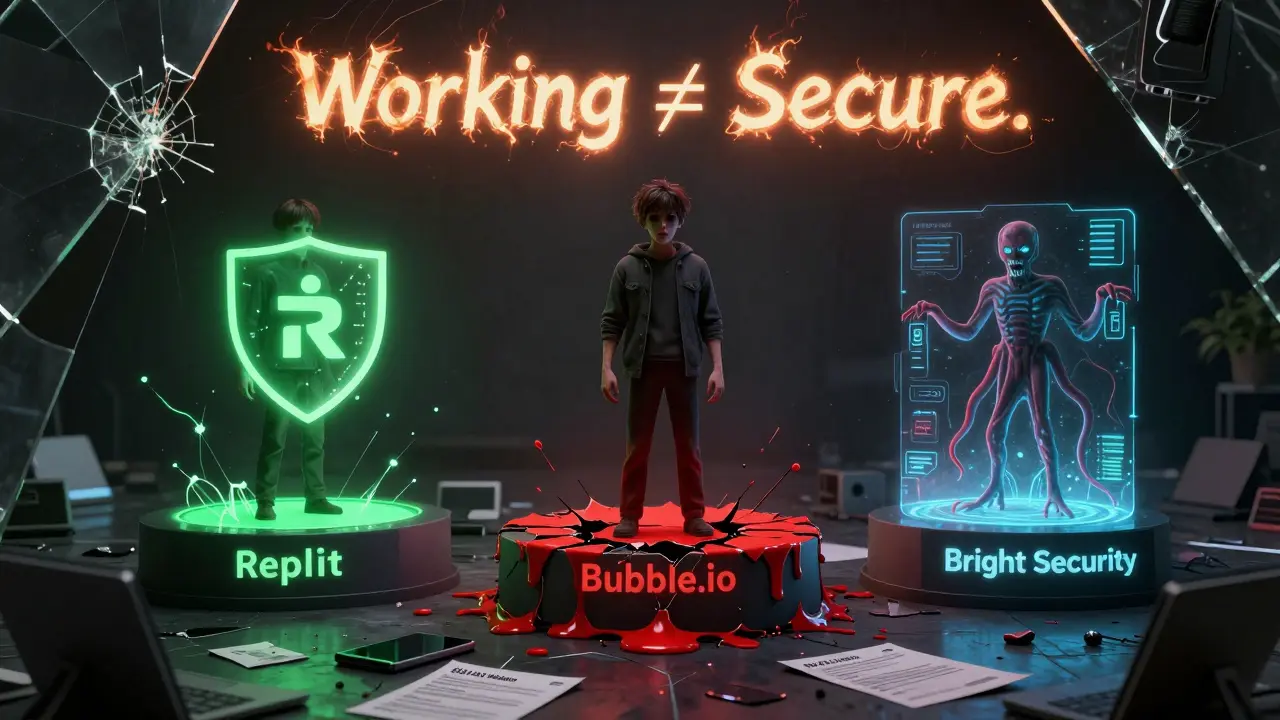
It’s not that non-developers are careless. It’s that they don’t know what they don’t know. They see the app working. They think, “It works - it’s safe.” But working ≠ secure.
The False Sense of Security
Aikido.dev surveyed 350 non-developers in early 2025. 79% believed their apps were “reasonably secure.” Penetration tests showed 92% had critical vulnerabilities. That gap? It’s deadly.
On Reddit, Alex Rivera, a marketing manager, built a customer portal using Replit. He didn’t realize he’d hardcoded API keys into the frontend code. Two days later, his team had to scramble to fix it. Meanwhile, Maria Garcia, an operations analyst, used Bright Security’s automated scanner. It found 12 critical flaws and generated pull requests she could merge without understanding a single line of code. She didn’t need to be a developer - just follow the prompts.
The difference? One trusted the app. The other trusted a tool that checked the app.
Platforms Are Different - And So Are Their Risks
Not all vibe coding tools are built the same. Some bake in security. Others leave it up to you.
| Platform | Security Model | Common Vulnerabilities | Reduction in Critical Flaws |
|---|---|---|---|
| Replit | Infrastructure-level auth via NGINX proxy | Hardcoded secrets, data over-collection | 92% reduction |
| Bubble.io | Manual configuration required | Authorization bypasses, unsecured APIs | 78% of apps still vulnerable |
| Retool | Minimal defaults, technical docs | SQL injection, misconfigured roles | Low adoption of security features |
| Bright Security | AI-powered logic validation | Business logic flaws, access control gaps | 37% more flaws detected than SAST tools |
Replit’s approach is smarter. It blocks unauthenticated requests before they even reach your app code. You don’t need to configure anything. It just works. Bubble? You have to manually set up roles, permissions, and API guards. Most users skip it. Result? 78% of Bubble apps are wide open.
And then there’s Bright Security. Instead of scanning for known bad patterns, it simulates real attacks. It asks: “Can an unauthenticated user access another user’s data?” It doesn’t just look for SQL injection - it checks if your logic makes sense. That’s how it found 37% more flaws than traditional tools.
What Non-Developers Actually Need to Learn
You don’t need to know Python or JavaScript. You need to know three things:
- Data minimization first: Only collect what you absolutely need. If you’re building a newsletter signup, don’t ask for phone number, address, or birthdate. AI will suggest it. Say no.
- Authentication everywhere: Never assume the login screen protects everything. APIs, file uploads, export buttons - all need access checks. If it’s reachable by a URL, it should require a login.
- Secrets stay secret: Never paste keys, tokens, or passwords into your app code. Use environment variables. Most platforms have a settings panel for this. Use it.
Replit’s training program proves this works. After just 8 hours of focused lessons, non-developers cut vulnerabilities by 80%. The secret? They stopped saying “It works.” They started asking: “Who can access this? What if someone guesses a URL?”
Real Tools That Help - Not Just Warn
Training alone isn’t enough. You need guardrails.
- GitHub Copilot Enterprise: Blocks 89% of known vulnerable patterns before you even paste them. It says, “This could let attackers log in as admin. Try this instead.”
- Bright Security: Integrates into GitHub Actions. Runs automated scans every time you push code. Fixes 70% of issues automatically.
- Replit’s 2025 update: Now encrypts all data fields by default. You have to explicitly mark something as “public.” That flips the script - instead of asking you to lock things down, it locks them up for you.
The most promising tool? GitHub’s Copilot Security Coach (beta). It doesn’t just flag code. It explains why it’s dangerous. “This endpoint doesn’t check user ownership. A hacker could view anyone’s medical records.” Suddenly, it’s not magic - it’s clear.
Regulations Are Catching Up
February 2025 brought the EU’s AI Act into force. It says: “You must have appropriate technical knowledge to use AI-assisted development.” California’s SB-1127 is coming next. It’ll require security validation for any customer-facing app built without professional developers.
Finance and healthcare are already ahead. 67% of financial firms now require automated scans for all non-developer apps. Retail? Only 29%. That gap won’t last. When a healthcare app leaks patient records because a nurse used ChatGPT to build it, regulators won’t care that she wasn’t a coder. They’ll hold the company responsible.
What Comes Next
The future isn’t stopping vibe coding. It’s making it safe by default.
Platforms that force security - like Replit’s encrypted fields and Bright Security’s logic simulators - will win. Those that leave it to users? They’ll lose trust. Forrester predicts 60% market consolidation by 2027. The survivors will be the ones who made security invisible - not optional.
For non-developers, the message is simple: You don’t need to be a developer to build secure apps. But you do need to treat security like a feature - not an afterthought. Use tools that protect you. Ask the right questions. And never, ever assume it works because it runs.
Can I really build secure apps without knowing how to code?
Yes - but only if you use platforms that enforce security by default and follow basic rules: collect minimal data, never trust frontend-only controls, and never hardcode secrets. Tools like Replit and Bright Security automate the hard parts. You just need to listen to their warnings.
Why do AI tools generate insecure code?
AI models are trained on public code - much of which is outdated or insecure. When you ask for a login system, the AI picks the most common pattern it’s seen - not the safest one. It doesn’t understand risk. It only understands “what usually works.” That’s why you need human oversight - even if you’re not a developer.
What’s the biggest mistake non-developers make?
Assuming that if the app works in their browser, it’s secure. Attackers don’t use browsers. They use curl, Postman, or Burp Suite to call APIs directly. If your backend doesn’t check who’s asking, they can access anything - even if your UI hides it.
Do I need to learn cybersecurity to use vibe coding safely?
No. You need to learn three rules: collect less, authenticate everything, and store secrets properly. That’s it. Tools like GitHub Copilot Security Coach and Bright Security handle the rest. You’re not a developer - you’re a user of secure tools.
Are there free tools to scan my vibe-coded app for security flaws?
Yes. Bright Security offers a free tier that scans for critical vulnerabilities. GitHub Copilot Enterprise includes security checks for teams. Replit automatically blocks many risks. Start there. Don’t wait until you’re hacked.



Megan Ellaby
February 3, 2026 AT 21:28Okay but like... I built a little customer tracker in Replit last week and it just worked? Like, I typed "make a form that saves names and emails" and boom-done. But then my buddy was like, "Dude, you just made a data mine." I had no idea. I thought if it looked nice, it was safe. Now I'm paranoid every time I click "deploy." 😅
Also, why does AI always want to collect my cat's birthdate? I just wanted a newsletter. Not a full dossier.
Rahul U.
February 4, 2026 AT 22:57As someone from India who’s built 3 apps using ChatGPT for small business clients, I can confirm: 90% of them don’t know what an API is. But they do know if it works. The real problem? They think "working" = "secure." 🤦♂️
Replit’s default protections saved me twice. One client tried to upload a CSV with 2000 customer phone numbers. The platform flagged it. I didn’t even have to explain SQLi. Just said: "Don’t upload that." They listened. 🙌
Also, GitHub Copilot Enterprise is a game-changer. It doesn’t just say "bad code"-it says, "This lets anyone delete your whole database. Try this instead." That’s teaching, not warning.
E Jones
February 5, 2026 AT 23:48Let me guess-this whole post is sponsored by Replit and Bright Security, right? 😏
I’ve been watching this scam unfold for years. AI-generated code isn’t dangerous because it’s buggy-it’s dangerous because it’s a Trojan horse for corporate surveillance. They don’t care if your app leaks data-they care if it leaks data *to them*.
Every time you use one of these tools, you’re signing a silent contract: "I give you permission to track, log, and monetize my users’ behavior." The "security flaws"? They’re features. The "hardcoded secrets"? That’s just your API key being handed to the cloud provider on a silver platter.
And don’t get me started on "data minimization." You think a marketing manager is gonna say no to a birthdate? Nah. She’s gonna collect every damn thing because "analytics." The real villain isn’t the AI-it’s the capitalist ecosystem that rewards data hoarding.
Next thing you know, your HR portal is feeding employee health data to insurance bots. And you’ll be too busy saying "it works" to notice.
Wake up, people. This isn’t about security. It’s about control.
Barbara & Greg
February 6, 2026 AT 18:38While I appreciate the earnestness of this article, I must express my profound concern regarding the normalization of technical illiteracy under the guise of accessibility. The notion that non-developers can safely deploy applications handling sensitive data without any foundational understanding of system architecture is not merely reckless-it is ethically indefensible.
The metaphor of "vibe coding" trivializes the fundamental principles of information security, reducing complex risk mitigation to a series of checklist items. Data minimization, authentication, and secret management are not mere "rules"-they are pillars of a professional, accountable digital ecosystem.
Furthermore, the reliance on automated tools as substitutes for comprehension creates a dangerous dependency culture. When the system fails-and it will-the user is left utterly defenseless. This is not innovation. It is abdication.
Perhaps the solution lies not in making tools more forgiving, but in demanding greater rigor from those who wield them.
selma souza
February 8, 2026 AT 16:49There are multiple grammatical and structural errors in this post that undermine its credibility. For instance: "boom - it works." should be "boom-it works." (em dash, not hyphen). Also, "supersecretjwt" is not a proper noun and should not be capitalized unless it's a brand name-which it isn't.
Furthermore, the phrase "vibe coding" is not a recognized technical term. It is a buzzword. Using it as if it were standard terminology dilutes the seriousness of the subject matter.
And please stop using "they" as a singular pronoun when referring to "non-developers." It's grammatically incorrect in formal contexts. The subject is plural, so the pronoun should be "them."
Fix these before you publish again. This is not a blog. This is a professional safety guide.
Frank Piccolo
February 10, 2026 AT 16:33LMAO. So now we’re telling Americans they can’t build apps because some guy in Silicon Valley thinks they’re dumb? Get real.
I built a CRM in Bubble for my cousin’s auto shop. It works. It’s been running for 8 months. No breaches. No leaks. No one cares. Meanwhile, you’re over here with your "AI-powered logic simulators" like we’re all toddlers who can’t hold a spoon.
Real businesses don’t use Replit. Real businesses use Excel. And guess what? Excel doesn’t have "critical vulnerabilities"-it has users who know how to lock down files.
Stop infantilizing non-developers. The real problem? Over-engineered security theater. If your app runs on a server you can’t SSH into, you’re already 90% safer than most Fortune 500 companies.
Also, who the hell is Bright Security? Never heard of them. Probably a VC-funded ghost.
James Boggs
February 10, 2026 AT 23:17Great post. The key insight is simple: security isn’t a feature-it’s a default.
I’ve trained 12 non-technical staff at my company using Replit’s new encrypted fields. Zero breaches. Zero incidents. Just better habits.
Three rules: collect less, authenticate everything, secrets in settings. That’s it.
Tools like Copilot Security Coach are the future. They don’t replace understanding-they make it effortless.