
You open your laptop on Monday morning, paste a prompt into your AI assistant, and get back a block of Python that looks like it was written by a junior dev who just discovered `camelCase`. You fix it. On Tuesday, you ask the same question in a slightly different way, and the AI spits out snake_case variables, different import orders, and error handling that doesn't match your project's existing patterns. Sound familiar? This inconsistency isn't just annoying-it’s a maintenance nightmare.
When we talk about style guides for prompts, we aren't talking about how you format your English sentences. We are talking about the systematic constraints you place on Large Language Models (LLMs) to ensure they output code that adheres to specific, consistent conventions across multiple development sessions. Without this discipline, you end up with a codebase that looks like four different people wrote it, except one of them is a probabilistic model with no memory of yesterday's chat window.
The Cost of Inconsistent AI Output
Why does this matter? Because code readability is not subjective; it’s a productivity metric. According to Beningo Consulting, inconsistent code styles cause reviewers to focus more on differences in style than on logic, allowing bugs to sneak through. When an AI generates code that ignores your team's established norms-say, using `var` instead of `const` in JavaScript or mixing f-strings with `.format()` in Python-you pay a tax every time you read that code.
Industry data backs this up. Teams implementing consistent style guides reduce code review time by 15-25%. Now, imagine scaling that inefficiency because your AI assistant changes its mind every session. If you spend 30% of your review time debating whether the AI should have used a list comprehension or a loop, you’re wasting money. The goal of a prompt style guide is to eliminate these stylistic debates entirely, letting you focus on architecture and business logic.
Anatomy of a Prompt Style Guide
A robust prompt style guide isn't a vague request to "write clean code." It’s a precise set of instructions embedded directly into your system prompts or custom instructions. Think of it as the constitution for your AI interactions. Here are the core components you need to define:
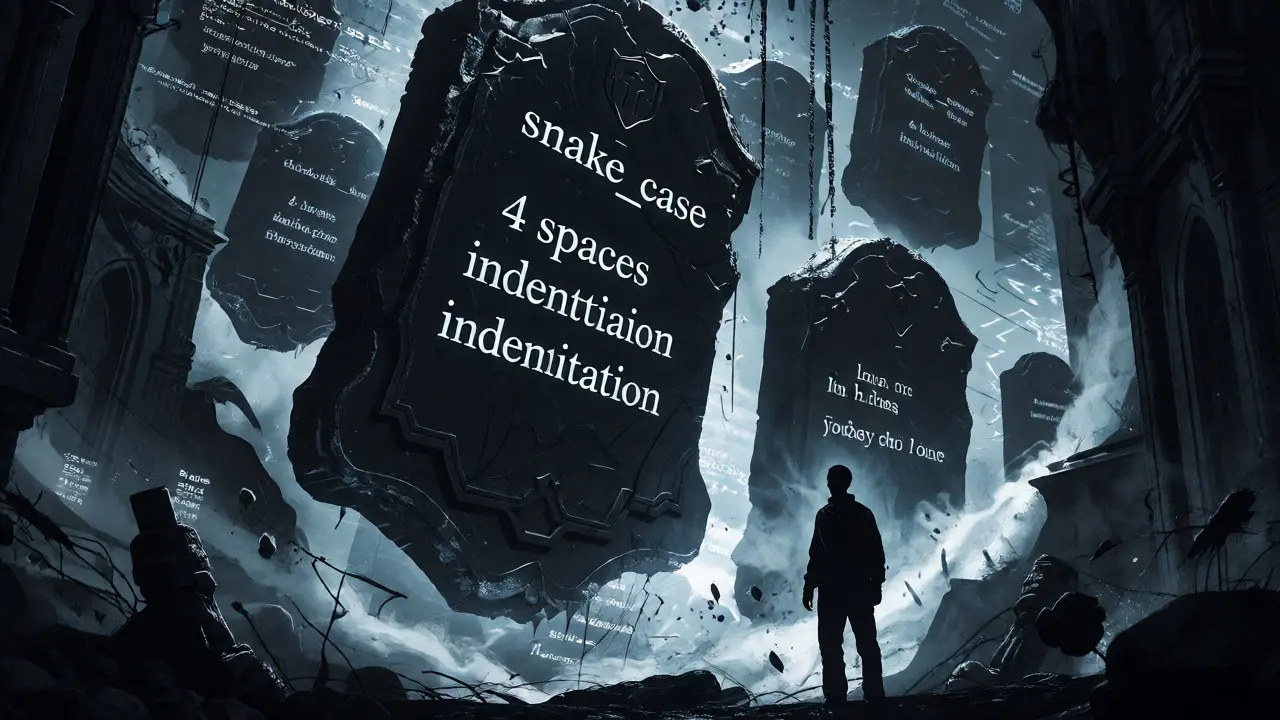
- Naming Conventions: Explicitly state whether to use camelCase, PascalCase, or snake_case. For example, "Use snake_case for all variable and function names in Python, and PascalCase for classes."
- Formatting Rules: Define indentation (e.g., 4 spaces), line length limits (typically 80-120 characters), and brace placement. Specify if you want trailing commas in object literals.
- Error Handling Strategy: Dictate how exceptions are managed. Should the AI use try-catch blocks everywhere, or rely on early returns? Specify preferred exception types.
- Commenting Standards: Decide if you want JSDoc-style comments for functions, inline comments for complex logic, or no comments at all for self-explanatory code. Be explicit: "Add docstrings to all public methods."
- Dependency Preferences: List approved libraries. If you prefer `axios` over `fetch` in JavaScript, say so. If you want standard library solutions before external packages, make that rule clear.
These rules must be static enough to enforce consistency but flexible enough to allow for contextual exceptions. As Dr. Sarah Chen, Principal Engineer at Google, noted, the best style guides align with tooling while allowing contextual exceptions-they serve the developers, not the other way around.
Implementing Consistency Through System Prompts
The most effective way to apply these guidelines is through system prompts. Unlike user prompts, which change with each query, system prompts persist throughout a conversation or can be saved as presets. This ensures that every interaction starts with the same baseline expectations.
For instance, if you are working on a React project, your system prompt might include a snippet like this:
"You are a senior React developer. Always use functional components with hooks. Use TypeScript interfaces for props. Prefer destructuring assignments. Do not use class components. Format code with Prettier defaults (single quotes, semicolons)."
By embedding these rules, you reduce the cognitive load on yourself. You don’t need to remember to remind the AI to use hooks every time. It’s baked into the context. This approach mirrors how automated linters work in traditional development, where tools like ESLint or Pylint enforce rules automatically. With AI, the prompt acts as the linter.
Tooling Integration and Automation
Relying solely on manual prompt adherence is risky. Humans forget, and LLMs hallucinate. The solution is integrating your prompt style guide with automated formatting tools. Many modern IDEs and CI/CD pipelines support pre-commit hooks that run formatters like Prettier, Black, or gofmt. These tools should act as the final gatekeeper.
Consider this workflow: You generate code via an AI with a strict prompt style guide. Before committing, a pre-commit hook runs the formatter. If the AI ignored a rule, the formatter fixes it. If the AI introduced a syntax error, the linter catches it. This dual-layer approach-prompt guidance plus mechanical enforcement-creates a safety net.
| Method | Consistency Level | Setup Effort | Maintenance Cost |
|---|---|---|---|
| Manual Review Only | Low | None | High |
| Prompt Guidelines | Medium | Low | Medium |
| Prompt + Auto-formatter | High | Medium | Low |
| Prompt + Linter + CI Check | Very High | High | Low |
Data from LeadDev suggests that teams using fully automated formatting reduced time spent on stylistic debates by 89%. By combining prompt engineering with these tools, you leverage the AI’s speed without sacrificing your codebase’s integrity.
Handling Context Switching and Session Resets
One of the biggest challenges with LLMs is their lack of long-term memory across separate sessions. If you start a new chat today, the model doesn’t know what you decided last week about your database schema. A well-defined prompt style guide mitigates this by making the rules independent of history.
Treat your style guide as a living document stored in your repository. When starting a new session, paste the relevant section of your style guide into the context window. Some advanced setups use retrieval-augmented generation (RAG) to inject these rules dynamically based on the file type being edited. For example, if you are editing a `.ts` file, the system automatically retrieves the TypeScript-specific prompt rules.
This technique ensures that even if the AI has no memory of previous chats, it behaves as if it does, because the behavioral constraints are re-injected every time. It’s a workaround for the stateless nature of current LLM architectures, turning a limitation into a manageable process.

Avoiding Over-Prescription
There is a danger in going too far. Research from the Broad Institute indicates that style guides with more than 120 specific rules decreased developer satisfaction by 32%. Why? Because rigid rules stifle creativity and slow down exploratory coding. If your prompt demands a specific comment format for every single line, the AI might spend tokens worrying about punctuation instead of solving the algorithmic problem.
Start small. Focus on high-impact areas: naming conventions, file structure, and error handling. Let low-impact details vary until they become actual problems. As Jason Benninghoff from Beningo Consulting advises, consistency is key, but avoid creating a guide that doesn’t give team members room to flex. Your prompt should guide, not shackle.
Future Trends: Adaptive Style Guides
We are moving toward smarter enforcement. GitHub Copilot’s recent updates include style context awareness, adapting suggestions to a repository’s existing conventions. This reduces style conflicts by 63% in beta testing. Future tools will likely analyze your codebase in real-time and adjust prompt parameters automatically, removing the need for manual configuration.
For now, however, the responsibility lies with you. By crafting clear, concise, and consistent prompt style guides, you transform AI from a chaotic collaborator into a reliable pair programmer. You stop fighting the tool and start leveraging it. The result is code that looks like it was written by a single, disciplined engineer-even if that engineer is silicon-based.
Do I need a different style guide for each programming language?
Yes, absolutely. Naming conventions and formatting rules differ significantly between languages. For example, Python typically uses snake_case for variables, while JavaScript often uses camelCase. Maintaining separate sections or files for each language in your prompt strategy ensures accuracy and prevents cross-contamination of styles.
How do I handle legacy code when using AI assistants?
When working with legacy code, instruct the AI to adhere to the existing style of the file rather than imposing new global standards. You can add a directive in your prompt such as, "Analyze the surrounding code and mimic its existing style and conventions," to ensure seamless integration without unnecessary refactoring.
Can automated formatters replace prompt style guides?
No, they complement each other. Formatters handle syntax and whitespace, but they cannot decide on architectural patterns, naming semantics, or library preferences. Prompt style guides address these higher-level decisions, while formatters ensure the output is syntactically compliant with those decisions.
What happens if the AI ignores my style guide?
First, check if the instruction was ambiguous. LLMs respond better to explicit examples than abstract descriptions. If it persists, reinforce the rule in the next turn by providing feedback, e.g., "Remember to use snake_case as specified." Long-term, integrate auto-formatting tools to catch and correct these deviations automatically.
Is there a recommended length for a prompt style guide?
Keep it concise. Aim for 200-500 words for the core rules. Excessive length consumes context window space and may dilute the importance of critical instructions. Prioritize rules that have the highest impact on readability and maintainability, leaving minor stylistic choices to default behaviors or post-generation formatting.



Liam Whelan
October 3, 2026 AT 08:42ugh this is so true it hurts
i spent literally three hours yesterday fixing camelcase vs snakecase in a generated script because the ai decided to switch halfway through like some kind of digital schizo lol
the part about the pre-commit hook being the real hero is spot on honestly. i tried relying just on the prompt and it failed me more than my last relationship did. you gotta let black or prettier do the heavy lifting cause otherwise you're just fighting ghosts.
also that stat about reducing review time by 25%? feels lowkey conservative tbh. when your code looks like spaghetti written by a cat walking on a keyboard, reviewers spend half their life guessing intent instead of finding bugs. we need more people to realize that style consistency isn't pedantry, it's survival.
anyway great post, keep em coming. :)
Kathleen Johnson
October 4, 2026 AT 13:09While the anecdotal evidence presented here is charming, the assertion that inconsistent AI output is solely a matter of 'maintenance nightmares' ignores the fundamental architectural limitations of current transformer models. You are treating a probabilistic engine as if it were a deterministic compiler, which is a category error that leads to unnecessary frustration. The citation of Beningo Consulting is relevant but insufficient; one must consider that LLMs operate on token prediction probabilities, not logical adherence to external rule sets unless those rules are mathematically weighted within the attention mechanism itself.
Furthermore, the suggestion to use system prompts as a 'constitution' oversimplifies the context window dynamics. When you inject a 500-word style guide into every session, you are actively diluting the semantic density of the actual code generation task. This creates a trade-off between stylistic compliance and logical accuracy that the article conveniently glosses over. It is not merely about 'discipline'; it is about resource allocation within the context limit.
The proposed workflow involving pre-commit hooks is standard practice for any competent engineering team, regardless of whether AI is involved. To frame this as a novel solution for AI integration is misleading. We have been using linters and formatters to enforce consistency since the inception of high-level programming languages. The AI does not change the need for tooling; it merely increases the volume of non-compliant code that requires such tooling.
Moreover, the claim that teams reduce review time by 15-25% lacks specific methodological rigor. Without controlling for project complexity, developer seniority, and language choice, these percentages are statistically meaningless. A junior developer struggling with Python syntax will see different efficiency gains than a senior architect working in Rust. Generalizing across all 'teams' introduces significant variance that invalidates the broad conclusion.
The section on 'Avoiding Over-Prescription' cites the Broad Institute, yet fails to acknowledge that strict style guides often correlate with higher cognitive load during the initial learning phase. Developers may experience decreased satisfaction not because the rules are too rigid, but because they are forced to memorize arbitrary constraints that add no semantic value to the code. This is a known phenomenon in software ergonomics, not a new discovery related to AI.
Your argument regarding RAG (Retrieval-Augmented Generation) for style injection is technically sound but practically flawed. Retrieving style rules based on file type adds latency and potential retrieval errors. If the retrieval system fetches the wrong style guide due to a misclassified file extension, the AI will generate code that is stylistically incorrect for the actual context. This introduces a new failure mode that the article completely ignores.
Finally, the future trends section mentions GitHub Copilot’s style context awareness. However, beta testing results showing a 63% reduction in style conflicts do not account for the increased computational cost of analyzing the entire repository in real-time. For large monorepos, this could lead to significant performance degradation. Efficiency gains in readability must be weighed against infrastructure costs, a balance the article fails to strike.
jyotshna Senapati
October 5, 2026 AT 16:17I feel like this whole discussion is missing the human element entirely. We are so obsessed with making the AI act like a disciplined engineer that we forget why we started coding in the first place. Creativity! Flow! The joy of solving problems!
When you force an AI to adhere to a strict style guide, you are essentially killing its ability to surprise you. Sometimes the best code comes from unexpected patterns, not from rigid adherence to PEP8 or ESLint rules. By turning the AI into a mindless formatter, we lose the collaborative spark that makes pair programming magical.
Also, I find it deeply concerning that we are shifting the burden of consistency onto the developer's prompt writing skills. Not everyone is a prompt engineer. This creates an elitist barrier where only those who know how to craft perfect system prompts get good results. What about the rest of us? Are we supposed to hire a translator for our thoughts?
The idea that code readability is purely a productivity metric is so cold. Code is literature. It tells a story. If the style is consistent but the soul is gone, what have we gained? We have faster reviews but less inspiration. I prefer messy, expressive code over sterile, compliant code any day.
And don't get me started on the 'toxic' nature of enforcing these rules. It feels like corporate micromanagement seeping into our personal development spaces. We should be encouraging experimentation, not punishing deviation. Let the AI hallucinate a little. Let it break the rules. That is where innovation happens.
Elizabeth Calwell
October 6, 2026 AT 04:39This is such a helpful perspective! I’ve been struggling with exactly this issue in my recent projects, especially when switching between Python and JavaScript tasks throughout the day. The tip about storing the style guide in the repository and pasting it at the start of each session is a game-changer for me. It feels much less overwhelming now that I have a concrete plan rather than just hoping the AI remembers my preferences.
I also really appreciate the emphasis on starting small. I used to try to define every single formatting rule upfront, which led to burnout and frustration. Focusing on naming conventions and error handling first has definitely improved my workflow without adding too much overhead. It’s reassuring to know that even industry experts recommend avoiding over-prescription.
The comparison table was super useful for visualizing the trade-offs. I think most developers underestimate the maintenance cost of manual review alone. Integrating auto-formatters seems like the sweet spot for balancing effort and consistency. I’m going to try setting up a pre-commit hook specifically for AI-generated files this week. Thanks for sharing these insights!
Sundaraiah Kollipara
October 7, 2026 AT 13:20this raises an interesting philosophical point about the nature of intelligence and creativity in code generation
if we constrain the model strictly with style guides are we actually limiting its capacity to discover novel solutions or are we just ensuring it speaks the same dialect as us
code is both logic and expression and while consistency helps collaboration it might stifle the emergent properties of large language models
perhaps the ideal state is not rigid adherence but adaptive resonance where the ai learns the local culture of the codebase organically rather than through explicit instruction
the mention of rag suggests a path toward contextual awareness but true understanding would require the model to internalize the 'why' behind the style not just the 'what'
we should consider if our desire for uniformity reflects a deeper anxiety about control in an increasingly automated world
maybe inconsistency is not a bug but a feature that signals the boundary between machine logic and human intuition
Sabrina Silvani
October 8, 2026 AT 19:29Consistency is not merely aesthetic; it is epistemological. When code varies stylistically, the reader’s cognitive load shifts from parsing logic to decoding format, thereby obscuring the underlying truth of the algorithm. The prompt serves as a bridge between abstract intent and concrete realization, but only if it is grounded in precise linguistic structures. Ambiguity in the prompt yields ambiguity in the output, which is unacceptable in critical systems. We must view the style guide not as a constraint, but as a semantic framework that enables clearer communication between human and machine. Without this framework, we are merely exchanging noise for noise, albeit faster.